

Introduction: The Mystery of the “Missing” Color
Every artist has experienced it: you spend hours perfecting a luminous sunset or a subtle skin tone on your monitor, only to have the printed version arrive looking dull, muddy, or “off.” This discrepancy isn’t a failure of the printer—it’s a failure of color management.
Color management is the process of ensuring that color remains consistent as it moves from your camera or scanner, to your monitor, and finally to the printing press. At ArtBook Printing, we use state-of-the-art calibration to ensure fidelity, but the process begins with your digital files. Here is how to master the science of color for your next art book project.
1. Light vs. Pigment: The RGB to CMYK Divide
The fundamental challenge of color management is that screens and presses speak two different languages.
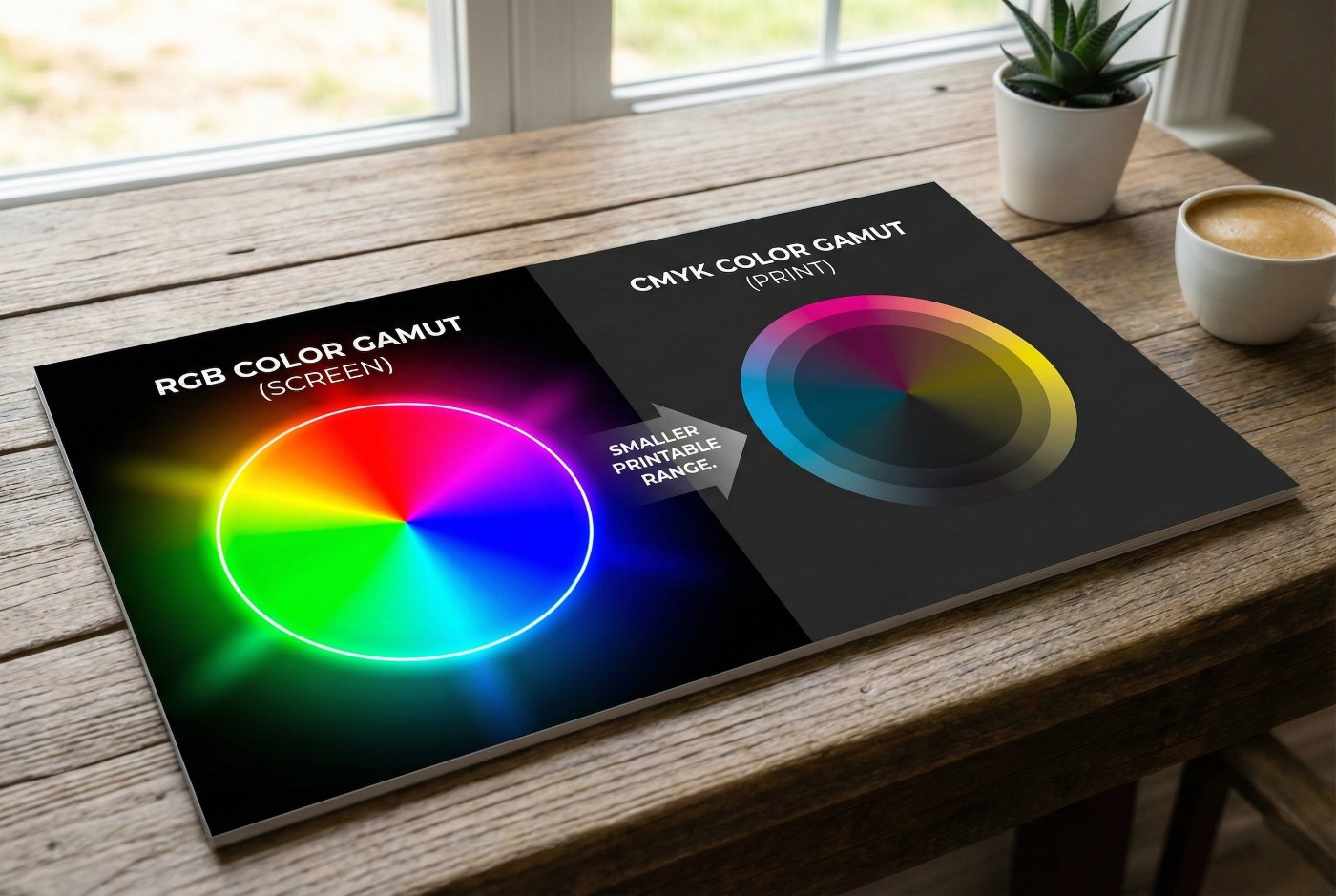
- RGB (Red, Green, Blue): Your monitor is an additive color system. It creates color by mixing light. Because it uses light, it can produce incredibly bright, electric colors.
- CMYK (Cyan, Magenta, Yellow, Black): A printing press is a subtractive color system. It creates color by layering physical ink on paper.
The Goal: You must bridge the “Gamut Gap.” The range of colors a monitor can show (RGB) is wider than the range of colors ink can produce (CMYK). By converting your files yourself, you take control of how those out-of-gamut colors are remapped.
2. Calibrating Your Workspace
You cannot manage what you cannot see accurately. If your monitor is too bright or has a warm tint, you will subconsciously edit your photos to compensate, leading to errors in the final print.
- Hardware Calibration: Professional artists use a colorimeter (like an X-Rite or Datacolor Spyder) to calibrate their screens. This ensures that “Middle Grey” on your screen is actually neutral.
- The Environment: Avoid editing under bright yellow lights or next to a window with shifting sunlight. Neutral, dim lighting is best for critical color work.
3. Choosing the Right ICC Profiles
An ICC profile is essentially a translation dictionary that tells the printer how to interpret your color data.
- For Coated Paper: Use GRACoL2006 or FOGRA39. These are industry standards for high-end art books printed on silk or gloss paper.
- For Uncoated Paper: Use FOGRA47 or PSO Uncoated. Because uncoated paper absorbs more ink, these profiles adjust the shadows to prevent them from plugging up and losing detail.
4. The Power of Soft Proofing
Did you know you can simulate the printing press inside Photoshop or InDesign? This is called Soft Proofing.
- Go to View > Proof Setup > Custom.
- Select the ICC profile for the paper you intend to use.
- Check “Simulate Paper Color.”
Your screen will suddenly look a bit flatter and less vibrant—this is a realistic representation of how ink looks on paper. Now, you can make surgical adjustments to contrast and saturation to bring back the vibrancy within the limitations of the CMYK space.
5. Managing Rich Blacks and Neutrals
Black-and-white photography is often harder to print than color. If you use a standard Auto-CMYK conversion, your black-and-white photos might end up with a slight green or magenta tint.
- Neutral Balance: At ArtBook Printing, we recommend using GCR (Gray Component Replacement) settings to ensure your neutrals stay neutral throughout the entire print run.
- The Rich Black Secret: For deep, liquid blacks in color images, ensure your black areas aren’t just 100% K. Use a balance like C-60 M-40 Y-40 K-100 to add depth and punch to the shadows.
6. The Ink Limit (Total Area Coverage)
If you pile too much ink on a piece of paper, it becomes a soggy mess that won’t dry, leading to offsetting (ink smearing onto the facing page).
- The Limit: Most art book papers have a limit of 300% to 320% total ink.
- The Math: If your deep shadows are C-90, M-80, Y-80, K-100, your total coverage is 350%. This is too high. Proper color management scales these back while maintaining the visual appearance of the dark tone.
7. Why Physical Hard Proofs are Non-Negotiable
No matter how good your monitor is, it will never perfectly replicate the way light reflects off physical paper fibers.
- Contract Proofs: At ArtBook Printing, we provide high-fidelity contract proofs. These are printed on calibrated devices that mimic the final press.
- The Test: Look at your proofs in D50 lighting (standard daylight). This is the true color. Check the shadow details—can you still see the textures in the dark areas? If not, it’s time to adjust your files before the full run.
Conclusion: Precision is the Artist’s Best Friend
Mastering color management isn’t about sucking the life out of your work; it’s about having the technical vocabulary to tell the printing press exactly what you want. By controlling your profiles, calibrating your environment, and utilizing soft proofs, you ensure that the vibrancy of your vision is what ends up on the coffee tables of your readers.
At ArtBook Printing, we speak the language of color. If you’re unsure about your profiles, our prepress team is here to guide you through the conversion process.